Catcut: A Stylish Font for Editorial Design
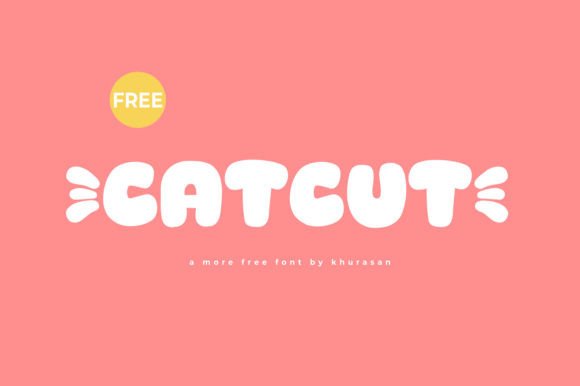
As a designer working on a lifestyle blog redesign, I found myself searching for a font that could elevate the visual appeal of the site without compromising readability. That’s when Catcut caught my eye. This modern and fancy display font offers a refined aesthetic that fits seamlessly into editorial projects, making it a valuable addition to any design toolkit.
Catcut for Magazine Covers and Branding
Catcut is ideal for magazine covers and branding materials where a touch of elegance is needed. Its clean lines and balanced structure give it a sophisticated feel, perfect for publications that aim to stand out. Whether you're designing a fashion magazine or a food journal, Catcut adds a sense of polish that can help define a publication's identity. The font works well in both large headlines and smaller text blocks, offering versatility across different design elements.
For a digital magazine layout, Catcut can be used as a headline font, drawing attention while maintaining a level of refinement. It pairs well with a serif font for body copy, creating a contrast that enhances readability without sacrificing style.
Catcut for Ebook Titles and Recipe Guides
When I was working on a recipe ebook, I needed a font that would make the title visually appealing yet easy to read. Catcut provided just that. Its modern look gives the ebook a fresh, contemporary feel, which is especially important for food-related content. The font’s curves and spacing make it ideal for titles, chapter headings, and even pull quotes within the text.
In a printable planner or coaching workbook, Catcut can be used to highlight key sections or motivational phrases. Its elegant appearance makes it a great choice for adding a personal touch to self-help or productivity resources. However, it’s best reserved for short text elements rather than long paragraphs, as its decorative nature may reduce legibility in extended reading.
Catcut for Newsletter Headers and Social Media Graphics
Newsletters often require a strong visual hierarchy to guide readers through content. Catcut can serve as an effective header font, helping to draw attention to key messages or promotions. When paired with a simple sans serif font for the body, it creates a balanced and professional look that works well across different platforms.
For social media graphics, Catcut adds a stylish flair that can enhance the overall aesthetic of posts. Whether it’s a promotional banner or a quote graphic, the font’s modern appeal helps create engaging visuals that resonate with audiences. It’s also useful for branding elements like logos or icons, where a clean and memorable typeface is essential.
Catcut for Wedding Guides and Event Branding
Wedding guides and event branding often rely on fonts that convey sophistication and class. Catcut fits this need perfectly, offering a refined look that feels both timeless and contemporary. Its use in wedding invitations, program designs, or signage can add a touch of elegance that aligns with the occasion’s tone.
When designing a wedding guide, Catcut can be used for section headings, captions, and decorative elements. It complements other design assets like illustrations or photographs, helping to create a cohesive and visually pleasing layout. However, it’s important to ensure that the font remains readable at smaller sizes, especially in printed materials.
Catcut for Printables and Digital Downloads
For printable planners, worksheets, or course PDFs, Catcut can be used to create eye-catching headers and section dividers. Its clarity and style make it a good choice for educational or creative content, where visual appeal plays a role in user engagement. However, it’s not recommended for body text due to its decorative characteristics, which may affect readability in dense layouts.
When using Catcut in digital downloads, it’s important to check the font licensing terms to ensure it can be used commercially. Many freebies include specific usage rights, so always review the license before incorporating the font into paid products or client projects. Additionally, consider the file formats available—some fonts may only be provided in certain formats, which could impact compatibility with design software.